
Blog
Iqos How to Turn on Quick Guide for Easy Use in Dubai

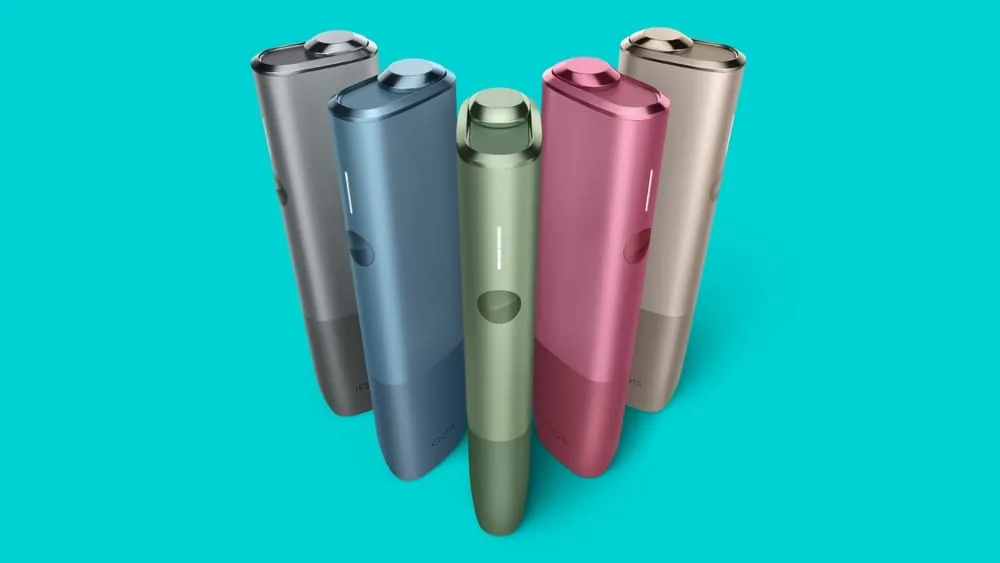
If you are new to IQOS, you might wonder how to turn it on. This guide will help you. It explains easy steps to start your IQOS device. You will also learn about IQOS models popular in Dubai and the UAE. Let’s begin.
What is IQOS?
IQOS is a device made for people who want to use tobacco but without burning it. It heats tobacco sticks to release vapor instead of smoke. This makes it different from regular cigarettes.
Many people in Dubai and the UAE use IQOS. It comes in different models, such as IQOS ILUMA and IQOS ILUMA I. One popular tobacco stick for IQOS is called Terea. You can also find Terea in Dubai and the UAE.
Before Turning On IQOS
First, make sure your IQOS device is charged. Without enough charge, it will not turn on or work well. Use the charger that comes with IQOS. Connect it to a power source and wait until it is ready.
Check if you have the right tobacco stick for your IQOS. For example, IQOS ILUMA works with Terea sticks. Using the wrong sticks can cause problems or damage the device.
How to Turn On IQOS Step by Step
Follow these simple steps to turn on your IQOS device:
- Open the Holder: First, open the IQOS holder where you put the tobacco stick.
- Insert the Tobacco Stick: Place a Terea tobacco stick gently inside the holder. Push it in until it fits well but do not force it.
- Close the Holder: Close the holder carefully so it holds the stick tightly.
- Turn On the Device: Press and hold the button on the holder for about 2 seconds. You will see the light blink. This means it is heating the tobacco.
- Wait for Ready Signal: When the light stops blinking and stays steady, your IQOS is ready to use.
Now you can enjoy using your IQOS device. It heats the tobacco stick without burning it.
Turning On IQOS ILUMA and IQOS ILUMA I
IQOS ILUMA ONE and IQOS ILUMA I are newer models. They use a different heating system called “Smartcore Induction System.” This means you do not need to clean the holder often.
To turn on IQOS ILUMA or ILUMA I:
- Make sure the device is charged.
- Insert the Terea tobacco stick into the holder.
- The device will turn on automatically when the stick is inside.
- You will see the light on the holder. When the light stops blinking, it is ready.
No need to press any button to turn it on. Just insert the stick and wait.
Tips for Using IQOS in Dubai and UAE
If you live in Dubai or the UAE, here are some tips:
- Buy IQOS devices and Terea sticks from official stores or trusted sellers.
- Look for stores that offer Terea delivery Dubai if you want to buy online.
- Keep your IQOS clean for better performance.
- Charge your IQOS fully before use.
- Do not use regular cigarettes in IQOS. Use only designed tobacco sticks like Terea.
How to Turn Off IQOS
When you finish using IQOS, it will turn off automatically. The device cools down after the session. You do not need to press any button to turn it off.
If you want to turn off the holder manually, press and hold the button for about 3 seconds. The light will go off. This tells you the device is off.
Charging IQOS Device
IQOS needs power to work well. When the battery is low, it will blink or show a red light. Follow these steps to charge:
- Put the holder into the charger case.
- Connect the charger case to a power source with the USB cable.
- Wait until the light on the case shows full charge.
- Remove the holder and use your IQOS.
Charging times vary. Usually, it takes 90 minutes to fully charge the holder and the case.

Common Problems and Solutions
Sometimes, your IQOS may not turn on. Here are simple checks:
- Is your device charged? Connect it to charge if not.
- Are you using the right tobacco stick (like Terea)?
- Is the holder clean? Dirt can block heating.
- Try pressing the button longer or removing and reinserting the stick.
If problems continue, visit an official IQOS store in Dubai or the UAE for help.
Where to Buy IQOS and Terea in Dubai and UAE
In Dubai and the UAE, you can buy IQOS Terea in many places:
- Official IQOS stores
- Authorized dealers
- Online shops with Terea delivery
- Some convenience stores and malls
Buying from official sources ensures you get real products and good support.
Summary
Turning on IQOS is simple. Charge your device first. Insert the right tobacco stick carefully. Press the button if your model needs it. Wait until the light shows it is ready. Use only Terea sticks with IQOS ILUMA and ILUMA I models. Keep your device clean and charged for the best experience.
If you live in Dubai or the UAE, buy IQOS and Terea from official stores. You can also find delivery services for convenience. Follow these steps to enjoy your IQOS safely and easily.
Now you know how to turn on IQOS. Try it today and enjoy a different tobacco experience.
Frequently Asked Questions
How Do I Turn On My Iqos Device?
Press and hold the power button for about 3 seconds until the light starts blinking. This means the device is powering on. Wait a few moments for it to be ready.
Why Won’t My Iqos Turn On?
Your IQOS might be out of battery or not charged properly. Try charging it fully and then press the power button again.
How Long Does It Take For Iqos To Turn On?
IQOS usually takes 20 to 30 seconds to heat up and be ready for use. The light will stop blinking when it’s ready.
Can Iqos Turn On Without Pressing The Button?
No, you must press and hold the power button to turn on IQOS. It doesn’t turn on automatically.