
Blog
How to Reset an IQOS Iluma Device: Best Guide for You

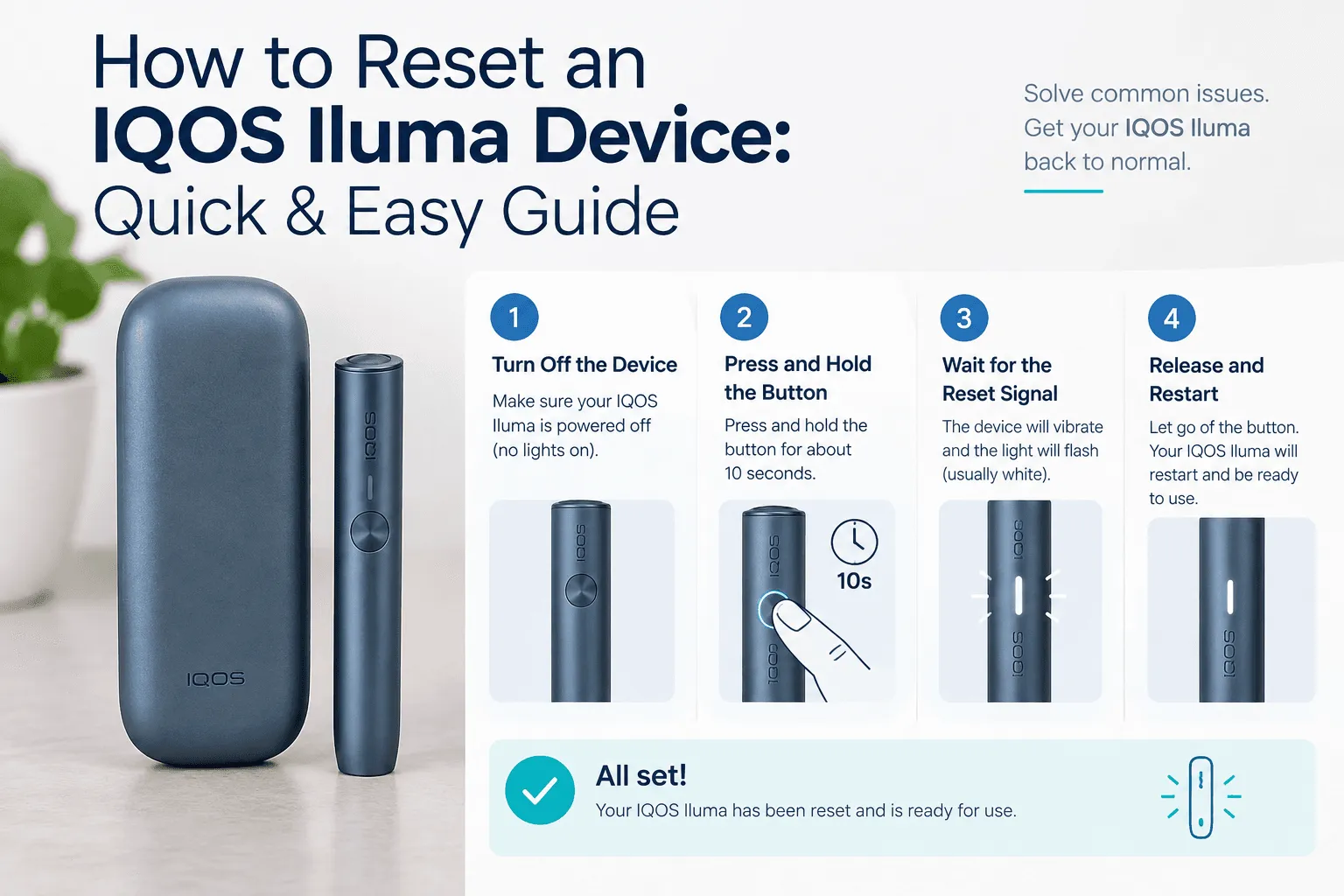
Need to reset an IQOS Iluma Device in Dubai or the UAE? Heated tobacco technology has brought clean convenience for adult users across the UAE. Blade-free heating removes smoke, ash, and combustion smells completely.
If you encounter performance issues, buying genuine iqos dubai kits or scheduling quick iqos delivery ensures high-quality daily sessions.
When Should You Reset Your IQOS Iluma?
Microprocessors and smart sensors control modern heat-not-burn hardware. A simple system reboot clears temporary board glitches without deleting your settings.
- Blinking Red or Orange Light: Indicates firmware fault codes or thermal lockouts.
- Unresponsive Auto-Start: Sensors fail to detect inserted tobacco sticks.
- Charging Interceptions: The charger does not send power to the holder.
Always use official terea uae sticks to protect internal sensors and prevent thermal errors.
Step-by-Step IQOS Iluma Reset Instructions
Resetting your device requires just a few easy steps depending on your model.
- Place Holder in Charger: Seat the holder inside the pocket charger properly.
- Hold Main Button: Press and hold the pocket charger button for 10 seconds.
- Check Status Lights: Wait for all lights to flash white twice and turn off.
- Release Button: Release the button. Lights will fade back on to confirm a successful reboot.
Pairing authentic devices with reliable terea dubai stock keeps heating profiles smooth and consistent.
Regional Terea Sticks Compatible with Iluma
Selecting compatible regional editions protects your device’s heating chamber and maintains optimal vapor output.
- Refined Menthol & Fruity Blends: Discover smooth cooling flavors with Terea Japan sticks.
- Rich Classic Tobacco Profiles: Taste deep tobacco flavor notes with Terea Kazakhstan packs.
- Aromatic Blends: Enjoy varied aromatic accents with Terea Indonesia choices.
Using real terea options prevents sensor calibration issues during daily use.
Popular IQOS Iluma Models & Top Products in UAE
Upgrading your hardware ensures long-term reliability and effortless operation.
| Model / Product Name | Key Highlight | Target Use |
| Iqos Iluma I Prime Aspen Green | Anodized aluminum finish | Premium luxury lifestyle |
| Iqos Iluma I Standard Black | Classic dual-piece design | Home and office desk use |
| Iqos Iluma I One Lime Green | Portable single-body unit | Active outdoor lifestyle |
| Terea Green Zing Kazakhstan | Refreshing citrus & menthol | Crisp cooling session |
| Terea Silver Kazakhstan | Light, smooth tobacco notes | Subtle daily blend |
| Terea Amber Kazakhstan | Balanced nutty aroma | Deep tobacco satisfaction |
| TEREA Black Menthol Japan | Intense menthol cooling | High-strength menthol draw |
Fast terea delivery services deliver your orders straight across Abu Dhabi, Sharjah, and Dubai.
Preventative Care for Long-Term Device Health
Regular care prevents common power failures and system crashes.
- Check Battery Levels: Charge your pocket charger using original cables.
- Avoid Wet Sticks: Moisture triggers internal circuit lockouts.
- Use Original Supplies: Genuine iqos products guarantee proper voltage contact.
Using authentic iqos terea sticks ensures stable internal temperature control.
Frequently Asked Questions on How to Reset an IQOS Iluma Device
Does resetting my IQOS Iluma wipe personal settings?
No, resetting clears system errors and reboots firmware without deleting your saved preferences.
Why is speed important for terea delivery in Dubai?
Ordering from authorized iqos uae distributors guarantees factory-sealed products kept under proper storage conditions.
Can old HEETS sticks be used with Iluma devices?
No, legacy sticks require ceramic heating blades. Modern Iluma units require sealed terea iqos sticks equipped with built-in metal elements.